




Universal Remote Control for Projectors
Regular price Rs. 1,649.00 Sale price Rs. 949.00 Save Rs. 700.00Tax included.
ⓘ Price & availability are subject to final order validation. If an adjustment is required due to size, weight or shipping requirements, we'll contact you before processing your order.

 Ships from our international warehouse
!
This item ships from our international warehouse to bring you a wider range of products. Delivery may take a little longer, but all duties and taxes are included — there are no additional charges on delivery.
Ships from our international warehouse
!
This item ships from our international warehouse to bring you a wider range of products. Delivery may take a little longer, but all duties and taxes are included — there are no additional charges on delivery.
Estimated to be delivered between 25/10/2026 - 05/11/2026
📦 Tracked shipping
🔒 Secure checkout
✔ Buyer protection
✔ No import duties or extra fees
Description:
Control your projectors effortlessly with this universal remote control, compatible with all brands except EGATE. It features easy two-step configuration and comes with a manual for convenience. A practical gift for anyone who uses projectors regularly.
Features:
- Universal remote control compatible with all brands except EGATE projectors.
- Two-step easy configuration for quick setup and use.
- Includes a manual for added convenience and guidance.
- Lightweight and portable design for easy handling during presentations.
- A practical gift for anyone who frequently uses projectors.
Additional Info:
- size : small, style : Ergonomic, color : black, controller_type : Button Control
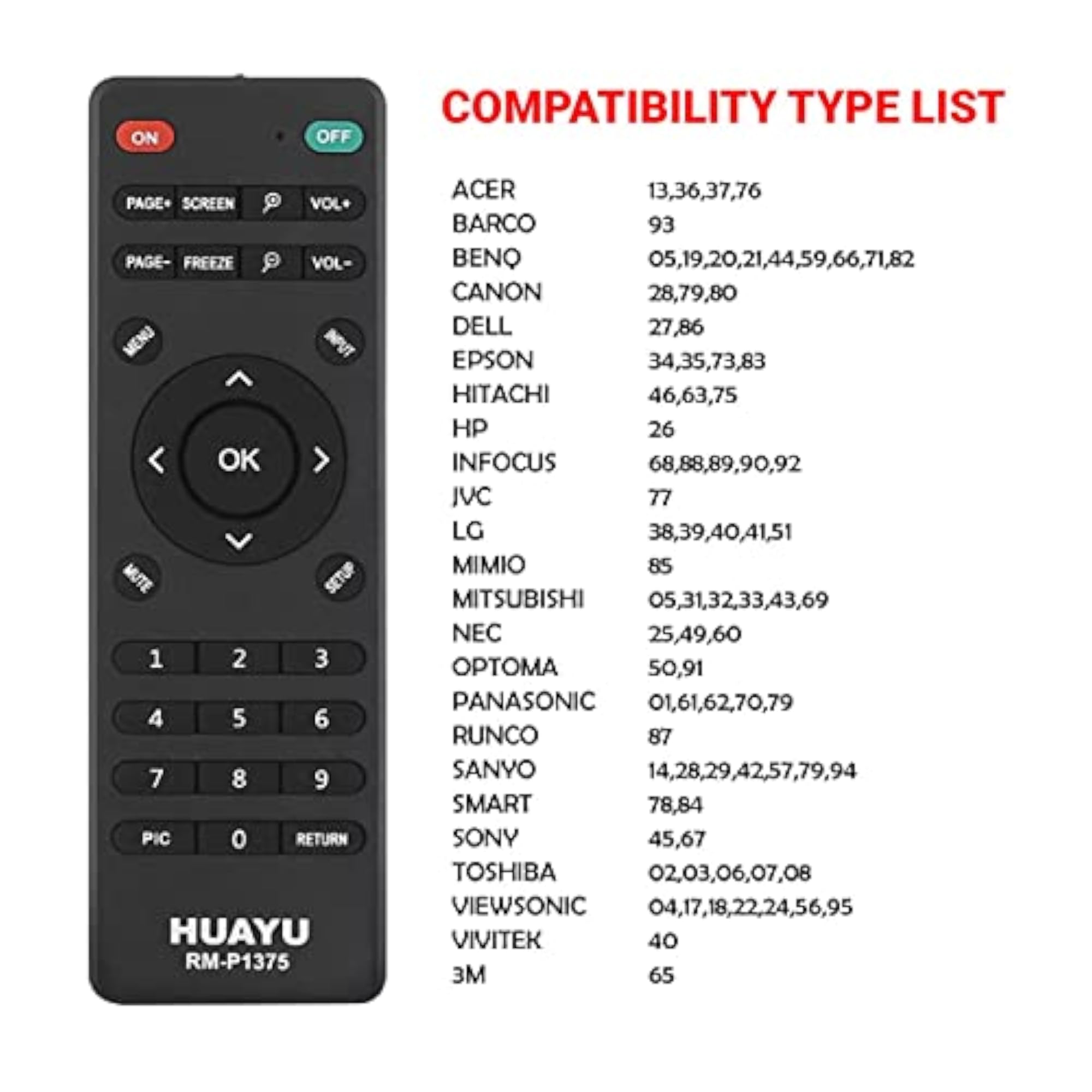
- Projector and replacement works for following brands: ACER BARCO, BENQ, CANON, DELL, EPSON, HITACHI, HP, INFOCUS, JVC, LG, MIMIO, MITSUBISHI, NEC, OPTOMA, PANASONIC, RUNCO, SANYO, SMART, SONY, TOSHIBA, VIEWSONIC, VIVITEK and 3M with simple setup
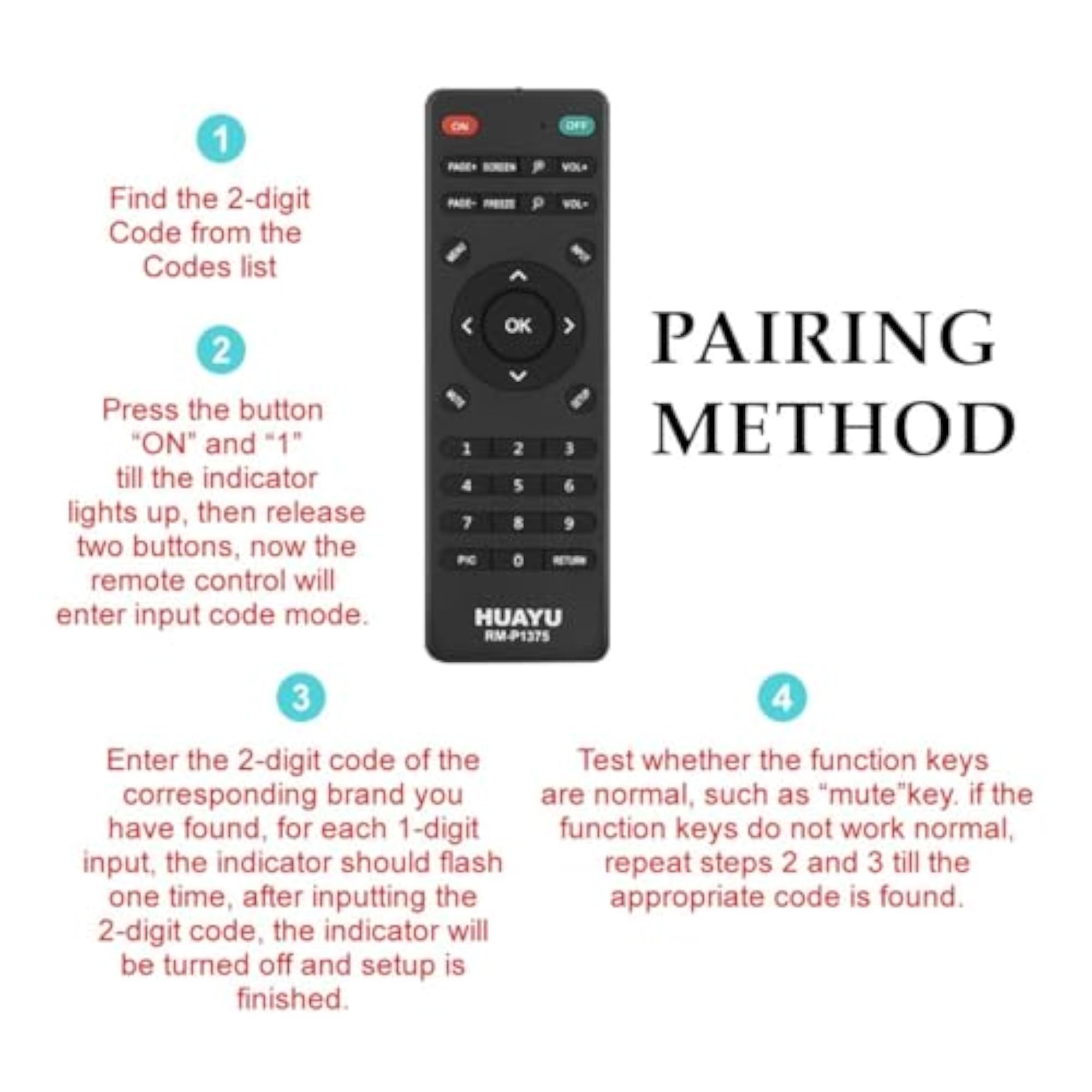
- STEPS-1 --> Press the button simultaneously ?ON? and ?1? till the indicator lights up, then release two buttons, now the remote control will enter input code mode.
- STEPS-2 --> Enter the 2-digit code of the corresponding brand you have found, for each 1-digit input, the indicator should flash one time, after inputting the 2-digit code, the indicator will be turned off and setup is finished.
- STEPS-3 --> Test whether the function keys are normal, such as ?mute? key. If the function keys do not work normal, repeat steps 2 and 3 till the appropriate code is found for projector
- Epson Projector Remote Control, Sanyo Projector Remote Control, Sony Projector Remote Control, Canon Projector Remote Control, Hitachi Projector Remote Control, Acer Projector Remote Control, Panasonic Projector Remote Control, BenQ Projector Remote Control


